About SyncYourDevice
An independent, tested help resource for Microsoft Phone Link and Link to Windows, written by one person who got stuck on these exact links and decided to fix the experience for everyone else.

Why this site exists
I'm a curious techy with nearly eight years in IT support and mobility engineering, and I built SyncYourDevice.com after running into Phone Link's pairing problems myself. The setup throws people short aka.ms links (PhoneLink, LinkPhoneQR, PairPC, StartLinking, MobileDeviceSettings, AddAccount), and it's surprisingly easy to get stranded, usually because a link meant for one device gets opened on the other.
If someone who fixes this for a living was getting stuck, I figured plenty of people were getting stuck a lot worse. So I sat down, ran the whole thing on real devices, broke it on purpose to find the failure points, and wrote down what happens. I still re-run every guide whenever the apps update (more about me, my background, credentials and how I test).
Writing the happy path, where every screen behaves, was the easy part. I took this on because of how many different errors people run into with these apps, and most of the work went into reproducing them: sometimes I waited hours to trigger an error that someone else hits instantly, then worked out what fixes it.
From when I started to publishing took about six months, as each guide's "Article updates" log shows. The courses and learning paths on my author page came from the same digging: I wanted the root causes behind the screens, not just the fixes.
How I test
The guides come from hands-on testing on my own devices, not from rewording Microsoft's documentation. I go through each flow on Android, iPhone and Windows 11 (and Windows 10, before my second PC moved to Windows 11), note the exact on-screen text and menu paths, deliberately trigger the errors people hit, and record what fixes them.
Where I report a measurement (battery impact, transfer sizes, hotspot speed), it's something I measured on my own hardware; I name the tool I used and don't present it as a universal spec.
My test devices: iPhone 17 Pro Max (512 GB), Samsung Galaxy Z Fold 7 (512 GB), Pixel 10 Pro XL (512 GB), Motorola Razr Ultra (512 GB), OnePlus 15 (512 GB), a Lenovo Legion 5 running Windows 11, and an ASUS ROG Zephyrus G14 running Windows 11, version 26H2 (it was my Windows 10 PC until its upgrade), all kept fully updated.
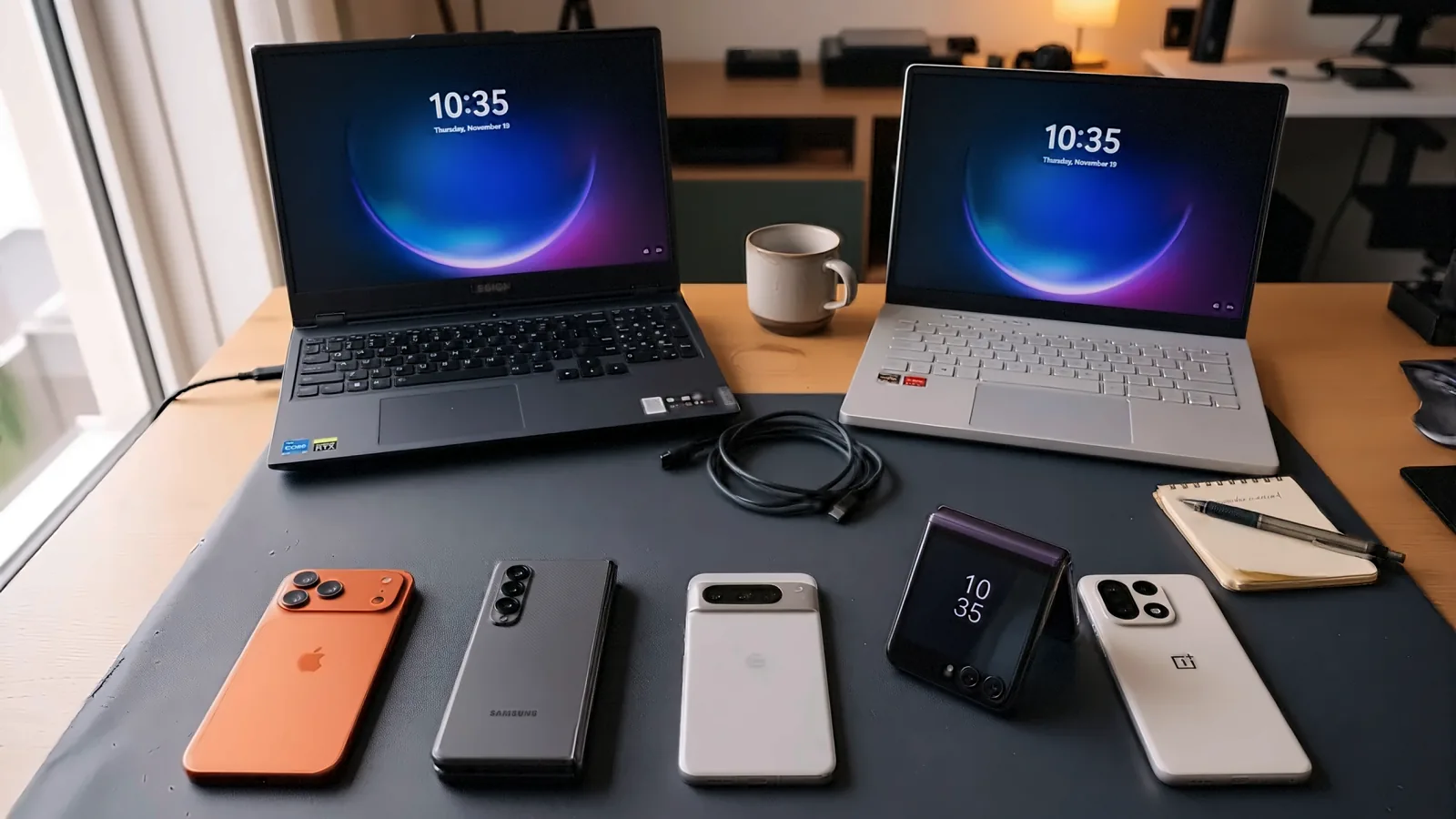
Currently tested on: Link to Windows (Android) 1.26102.152.0 · Link to Windows (iOS) 1.26102.58.0 · Phone Link (Windows) 1.26101.118.0 · verified November 23, 2026.
Where my information comes from
- My own testing: the first-hand source for the guides. Findings I've reproduced myself, in the actual problem environment, are tagged Tested.
- Microsoft's official documentation and articles: for confirming how features are meant to work. Anything I take from Microsoft (or Samsung, or Apple) without testing it myself is tagged Documented and says where it came from.
- Community discussion: places like Reddit and the Microsoft Forums sometimes point me toward something worth investigating. I try to reproduce it first; when I can't but the reports are consistent, I publish it as a user report and say so.
- Issues I've reported to Microsoft through its feedback channels, as I try to help keep the experience error-free.
So every claim on the site is either tested by me or labeled with where it came from. Steps that involve system changes carry a clear warning so you can decide for yourself. When the apps change (and they change often), I update the guides and the "verified" date. The rules behind those labels, and how corrections work, are in the editorial policy.
Independence
SyncYourDevice.com is an independent resource. It is not affiliated with, authorized by, or endorsed by Microsoft (or Samsung or Apple). Phone Link and Link to Windows are Microsoft products and trademarks of their respective owners. For official support, always check Microsoft's own Phone Link support.
No ads on the site, no sponsors, no affiliate links. The site pays for some Google and Bing search ads to reach readers.
I'd rather tell you the real limits of these apps (the file-size ceilings, the battery hit, the features Microsoft retired) than oversell them. That's the whole point of the site.
Press
I announced the launch on November 24, 2026, in a press release distributed by PR Newswire: "Michigan IT Engineer Launches SyncYourDevice to End the 'Wrong Device' Trap in Microsoft Phone Link Setup." It was republished on more than 170 sites, including Yahoo Finance, Morningstar and Benzinga.
Read it on PR Newswire (the original) · Yahoo Finance · Morningstar · Benzinga
Spotted something wrong, outdated or missing?
Tell me. A step that no longer matches your screen, an error this page doesn't cover, a bug in the app: I want to hear about it. My goal is to keep this the most accurate, up-to-date resource for Phone Link problems, and readers catch things I miss. Even AI companies warn that their AI can make mistakes; I'm one person, so I can too.
Send it through the contact page or to [email protected]; I read everything that comes in.
Get in touch
Spotted something that's changed, or got a question the guides don't answer? I'd like to hear it. Reach me through the contact page, at [email protected], or any of the profiles below.